









Mastering DOT Driver Qualification Files (DQFs): Compliance, Requirements & Best Practices

Imagine a regional carrier undergoing a surprise compliance review. Suddenly, the fleet manager discovers critical driver records missing across multiple qualification files. With deadlines approaching and penalties on the line, the company faces a challenge many growing fleets encounter: keeping DOT Driver Qualification Files accurate, complete, and audit-ready.
Fortunately, these high-pressure compliance scenarios become far less likely when businesses understand how to properly manage DOT Driver Qualification Files (DQFs).
In this guide, we’ll break down what belongs in a DOT DQF, common compliance mistakes to avoid, and how the right compliance partner can help streamline the entire process with DOT driver file management software.
What Are DOT Driver Qualification Files?
DOT Driver Qualification Files are federally mandated record collections that prove a commercial motor vehicle (CMV) driver is legally licensed, medically fit, and safe to operate commercial vehicles.
Enforced by the Federal Motor Carrier Safety Administration (FMCSA), motor carriers must maintain an individual, active DQF for every driver they employ—whether they operate a heavy semi-truck or a smaller commercial delivery van.
FMCSA Driver Qualification File Requirements
The FMCSA requires motor carriers to maintain accurate and up-to-date DQFs. These regulations are designed to help verify driver safety, qualifications, and ongoing compliance throughout their employment.
To remain compliant, motor carriers must:
- Maintain dedicated DQFs either in digital or paper form.
- Verify a driver’s employment and accident history and drug and alcohol testing records from previous employers covering the past three years.
- Obtain annual Motor Vehicle Records (MVRs) and conduct yearly reviews of each driver’s safety and traffic violation history.
- Ensure every active driver maintains a valid medical examiner’s certificate.
- Conduct required queries through the FMCSA Drug and Alcohol Clearinghouse to confirm driver eligibility.
- Retain required driver qualification records for the federally mandated retention period after employment ends.
Which Drivers Need a Driver Qualification File?
Under FMCSA regulations, motor carriers must maintain a DQF for drivers operating CMVs in interstate commerce, including full-time, part-time, temporary, and occasional drivers.
A vehicle is generally classified as a CMV if it meets at least one of the following criteria:
- It has a Gross Vehicle Weight Rating (GVWR), Gross Combination Weight Rating (GCWR), gross vehicle weight, or gross combination weight of 10,001 pounds or more.
- It is used to transport hazardous materials requiring placarding under federal regulations.
- It is designed to transport eight or more passengers (including the driver) for compensation.
- It is designed to transport 15 or more passengers (including the driver), not for compensation.
In some cases, intrastate drivers may also be subject to Driver Qualification File requirements depending on state-specific regulations.
Why DQFs Matter for Safety and Compliance
Maintaining accurate DQFs not only protects public safety; it also shields your company from operational, financial, and legal risk. Here's why it matters:
- Helps keep your business audit-ready by ensuring required driver records are complete and accessible during DOT or FMCSA audits.
- Reduces the risk of fines, penalties, and compliance violations caused by missing, outdated, or incomplete documentation.
- Supports safer hiring and driver monitoring practices through ongoing reviews of driving records, medical certifications, and qualification status.
- Helps identify potential safety concerns early, including suspended licenses, recurring traffic violations, or expired medical certificates.
- Strengthens liability protection in the event of an accident by demonstrating that the company properly vetted and monitored its drivers.
- Lowers the likelihood of serious enforcement actions tied to widespread compliance failures or negligent recordkeeping practices.
What Must Be Included in a DOT DQF?
Whether maintained as paper records or digital files, DQF documents must be accurate, complete, and readily accessible for review at the carrier’s principal place of business.
Required DQF documents typically include:
- Driver’s employment application
- Motor Vehicle Record (MVR)
- CDL verification and licensing records
- Medical Examiner’s Certificate
- Road Test Certificate or equivalent qualification record
- Safety Performance History and prior employment verification
- FMCSA Drug and Alcohol Clearinghouse query records
- Annual driver review documents
Additional supporting documents may also be included, such as:
- Training and certification records
- Incident or accident documentation
- Internal compliance checklists
- Company safety acknowledgements or policy sign-offs
DOT Driver File Requirements: Key FMCSA Rules to Know
Beyond getting all the paperwork in order, there are still some important rules motor carriers should follow.
Annual MVR Review Requirements
Motor carriers must pull and officially evaluate an MVR check for each driver at least once every 12 months. For example, if a driver's MVR was pulled and reviewed on June 10, the subsequent annual review must be executed on or before June 10 of the following year.
To pass an FMCSA audit, the driver's DQF must have a state-issued MVR, the complete driving history record obtained from the state licensing authorities, and an annual review note.
The annual review note must contain:
- The name of the person who reviewed the driving record.
- The exact date the review occurred.
- A formal concluding statement indicating whether the driver meets the minimum requirements for safe driving or is disqualified.
Medical Certificate Renewal Timelines
The FMCSA enforces strict medical certificate renewal timelines to ensure drivers remain physically qualified to drive. A DOT Medical Examiner’s Certificate (MEC) can be issued for up to two years, depending on the driver’s health status and the certified medical examiner’s assessment.
Healthy drivers may receive the full two-year certification, while drivers with monitored conditions such as sleep apnea, insulin-treated diabetes, or hypertension may receive shorter certification periods (as little as three to six months). There's no grace period once a certificate expires. If it’s not renewed in time, the Commercial Driver’s License (CDL) may be downgraded to non-commercial status within 60 days.
Drug and Alcohol Compliance Requirements
Motor carriers must conduct five-panel urine drug tests and breath alcohol tests in the following situations:
- Pre-employment: Drivers must pass a drug test before they can operate a commercial vehicle.
- Random: Annual random testing is required for a percentage of drivers (currently 50% for drugs and 10% for alcohol).
- Post-accident: Required after certain accidents involving fatalities, citations, towing, or off-site medical treatment.
- Reasonable suspicion: Triggered when a trained supervisor observes signs of substance use.
- Return-to-duty (RTD): Required after a violation and completion of the SAP process.
- Follow-up: Unannounced, directly observed tests scheduled after RTD, including at least six tests within 12 months.
Driver Qualification Retention Periods
A complete DQF must be retained for the duration of a driver’s employment and for three years after employment ends. The following documents must remain in the file throughout that period:
- Employment application
- Three-year pre-employment background investigations
- Pre-employment Motor Vehicle Record (MVR)
- Original Road Test Certificate and rating sheet, if applicable
Certain documents follow a rolling three-year retention period and may be discarded three years after issuance. These include:
- Annual Motor Vehicle Records (MVRs)
- Annual driving record reviews
- Medical Examiner’s Certificates (MECs)
- National Registry verification records
Electronic vs. Paper File Requirements
Electronic files must be legible and identifiable, and scanned images or digital PDFs must be clear enough to read. Blurry text, cut-off signatures, or unidentifiable driver names can trigger paperwork violations. These are the requirements for electronic compliance:
- Readily accessible: Driver files must be quickly retrievable during inspections or audits.
- Reproducible: Documents should be easy to download, print, email, or upload to the FMCSA portal.
- Secure and private: DQFs must be protected with secure access controls and encryption due to sensitive personal information.
For paper files, make sure that all documents are clearly legible and reproducible. Records must also be readily available for review by authorized FMCSA safety officials upon request.
Common DOT Driver File Violations (and How to Avoid Them)
Whether you manage a small fleet or a large operation, DOT driver file mistakes can lead to compliance issues, audits, and penalties. Here are some of the most common violations and how to avoid them:
- Expired medical certificates: Track expiration dates and schedule renewals at least 30 days in advance.
- Missing annual reviews: Set automated reminders for yearly MVR checks and driver reviews.
- Incomplete employment verification: Verify and document all prior employer safety history before hiring.
- Missing clearinghouse records: Run and save all required FMCSA Clearinghouse queries for each driver.
- Outdated MVRs: Pull updated MVRs annually and after major driver incidents when required.
- Poor record organization: Use standardized digital or physical filing systems with clear document categories.
- State-specific compliance gaps: Regularly review state CDL and medical certification requirements alongside FMCSA rules.
Best Practices for Managing DOT Driver Qualification Files
Implement the following practices if you find managing DOT DQFs overwhelming or time-consuming.
Create a Standardized Filing System
Start by choosing between digital and paper files. Go with digital files if you want to eliminate the risks of lost documents, automate compliance alerts (for medical cards, MVRs, etc.), and simplify remote DOT audits. Choose paper files if you operate a small, local fleet with zero internet access or if you prefer a tangible fallback for legacy local systems.
Then, ensure you organize your records consistently and centralize your documentation. It helps you create a standardized filing system by ensuring all driver files follow the same structure and are stored in one accessible location. This makes it much easier to track missing documents, manage expiration dates, maintain FMCSA compliance, and quickly retrieve records during audits or inspections.
Prepare for an FMCSA Audit and Keep Files Audit-Ready
Being audit-ready helps reduce compliance risks and improves response times during FMCSA investigations. Keeping auditable DOT Driver Qualification files requires ongoing monitoring and proactive compliance management rather than waiting for an inspection or FMCSA audit.
Schedule regular reviews, monthly or quarterly, to ensure driver files remain complete, accurate, and up to date. Use compliance calendars and automate reminders to stay on top of important, upcoming deadlines.
Lastly, conduct internal self-audits to evaluate your DQ files against FMCSA requirements on a routine basis. This will help you identify gaps, improve processes, and strengthen audit readiness.
Ensure you have all the necessary files mentioned in the "what must be included" section for each driver. Then, create a file checklist for yourself, like this:
- Organize records
- Correct compliance gaps
- Update expired documents
- Ensuring files can be quickly retrieved upon request
Protect Sensitive Driver Information
DQFs contain plenty of sensitive personal and employment information. This means record management has to be secure for both compliance and privacy protection. Securely store your physical or electronic files to protect sensitive data from unauthorized access and maintain reliable backups in case of loss.
Why Businesses Choose Foley for DOT Driver File Management
Businesses choose Foley because it simplifies DOT compliance management through an all-in-one digital platform that automates DQFs, drug and alcohol testing, and FMCSA Clearinghouse queries.
By streamlining compliance workflows and reducing manual administration, Foley helps fleets minimize compliance risks, avoid costly DOT fines, and stay audit-ready at all times.
Benefits of Partnering with Foley
- Compliance expertise: Access industry knowledge, regulatory guidance, and expert support aligned with FMCSA requirements to help maintain accurate, compliant driver records.
- Automated monitoring: Track medical certificate expirations, CDL renewals, annual reviews, and missing documentation with centralized systems and automated alerts.
- Audit support: Improve audit readiness with organized digital records, simplified document retrieval, and support for FMCSA audits and investigations.
- Scalable fleet solutions: Efficiently manage driver qualification files across growing fleets, multiple terminals, and expanding driver populations without increasing administrative burden.
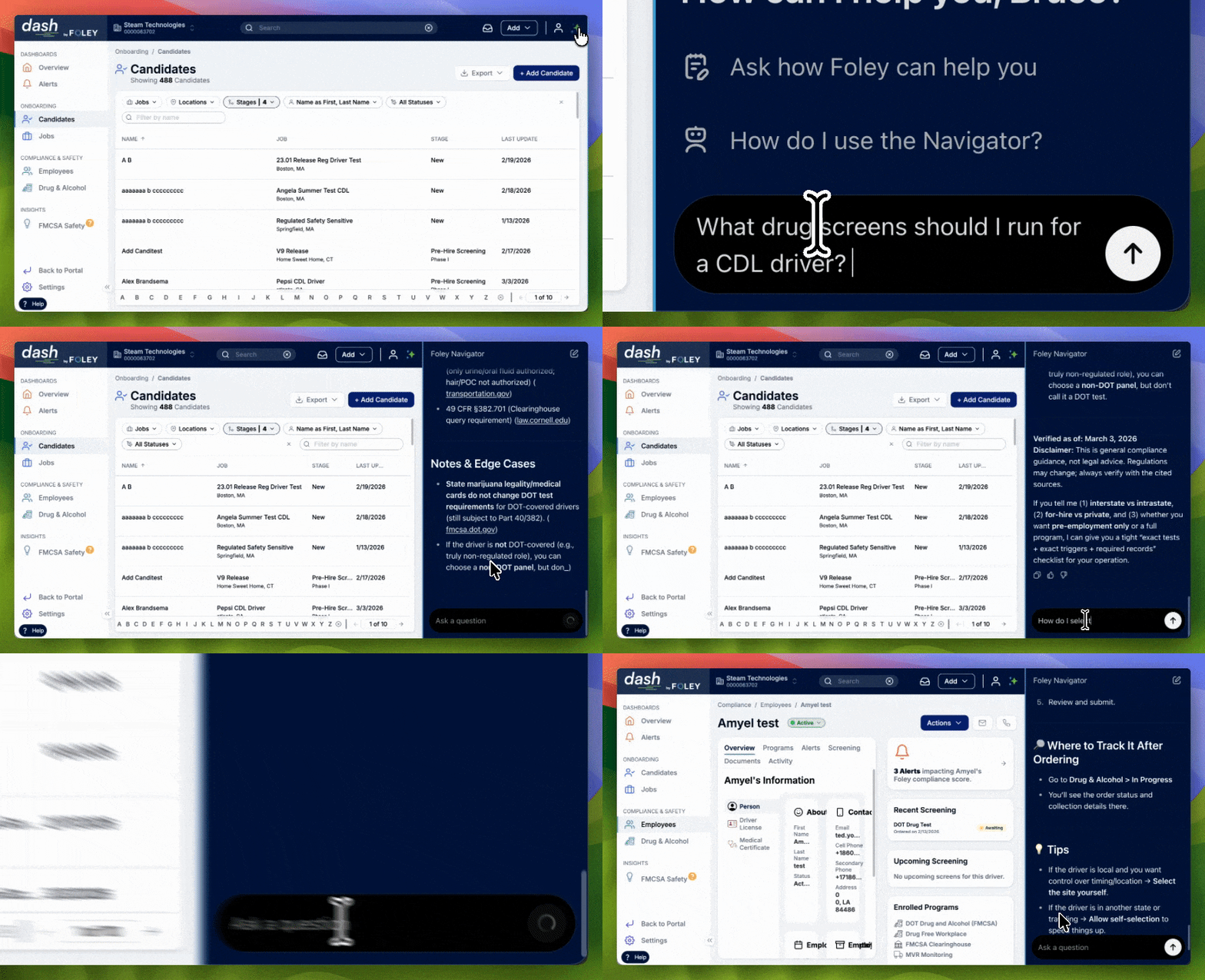
In addition, every client receives dedicated account management support and access to built-in AI navigation tools designed to simplify complex federal compliance requirements.
Frequently Asked Questions About DOT Driver Qualification Files
How long must DQFs be retained?
According to FMCSA regulations, complete DQFs must be retained for the entire duration of the driver's employment. They should also be securely kept after termination for three years from the date the driver leaves the company.
Who is responsible for maintaining driver qualification files?
The motor carrier (the employer) is legally responsible for building, maintaining, and updating its DQF. Owners of one-person operations are legally both the motor carrier and the driver. Small-to-midsize fleets typically assign DQF management to an internal employee or department.
Many companies choose to outsource this burden to professional compliance software vendors like Foley.
Can DOT driver files be stored electronically?
Yes. Electronic recordkeeping systems help simplify compliance management, improve organization, and make documents easier to access during audits.
However, electronic DQFs must still comply with FMCSA recordkeeping requirements. Carriers should ensure documents are accurate, secure, accessible, and properly retained for the required time periods. Electronic signatures are also generally accepted for many DOT compliance documents.
What happens during a DOT audit?
During an FMCSA compliance review, investigators examine your company’s safety and recordkeeping practices for signs of non-compliance. This may include reviewing DQFs, Hours of Service (HOS) records, vehicle maintenance documentation, and drug and alcohol testing records.
Auditors may also interview staff, inspect vehicles, and review a sample of driver files. At the end of the audit, the investigator discusses any violations found and assigns a safety rating to the carrier.
What are the penalties for missing DQF documents?
Failing to maintain a complete and accurate DQF can carry severe legal and financial implications. The FMCSA can issue fines of up to $1,584 per day for unresolved recordkeeping violations, with penalties reaching as high as $15,846 per violation—and even higher if an unqualified driver is operating a vehicle.
During audits, a few missing documents can also be treated as evidence of a wider compliance problem, causing penalties to scale across the entire fleet. Beyond fines, companies risk downgraded safety ratings, out-of-service orders, higher insurance premiums, lost freight opportunities, and even negligent hiring lawsuits if missing records become an issue after an accident.
How often should driver qualification files be reviewed?
Driver qualification files should be reviewed at least once every 12 months to comply with FMCSA regulations. This annual review typically includes an updated MVR check and confirmation that the driver remains qualified to operate a commercial vehicle.
A driver’s Medical Examiner’s Certificate (DOT medical card) must also stay current and is commonly renewed every two years, although some drivers may require more frequent updates based on medical conditions.
Many fleets go beyond the minimum requirements by conducting monthly checks on license status, violations, DUIs, and other safety-related issues. Quarterly spot checks of driver files are also common to ensure signatures, dates, medical certificates, and FMCSA Clearinghouse annual queries remain accurate and up to date.
Download the Free DOT Compliance Checklist
Stay one step ahead of your next audit. Foley’s DOT and FMCSA Compliance Checklist gives you a simple, step-by-step way to track every requirement—from driver files to drug testing—in one place.
Download the Checklist
Stay compliant. Stay protected. Keep your business moving forward.
Related Articles
3 Reasons Paper DOT Driver Qualification Files Aren't Cutting It Anymore
Are Your Driver Qualification Files Putting You At Risk?
How to Use DOT Compliance Programs to Lower Your Commercial Insurance Costs
.webp)